

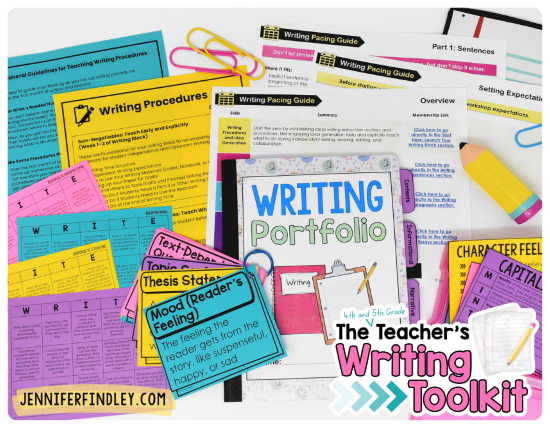
Looking for even more support on how to teach writing in 4th and 5th grade? Grab the writing toolkit that gives you resources to help you with pacing, procedures, and engagement for free.
You’ve probably tried the synonym posters.
You’ve probably introduced “other ways to say…” lists.
You may have even held a “ceremony” where certain overused words were officially put to rest because you never wanted to see them again in your students’ writing.
And you still might not be seeing the vocabulary you want to see in your students’ writing.
Here’s how to make that happen easily.
Spoiler Alert: We use spelling as the entry point AND the students do all (or most) of the work.
Build a Community Word Bank
When your students are given a writing prompt, whether it’s a specific prompt everyone has, or something more open like “Write about a time you were brave,” pause before they start writing.
Then, ask this:
“What words do you want to use in your writing that you want me to help you spell?”
As students respond, create a word bank together.
You can:
- write it on the marker board
- type it on your Smart Board
- or do whatever works best for your setup
If you and your class can handle calling out words, great. If not, have students raise their hands and share one at a time.
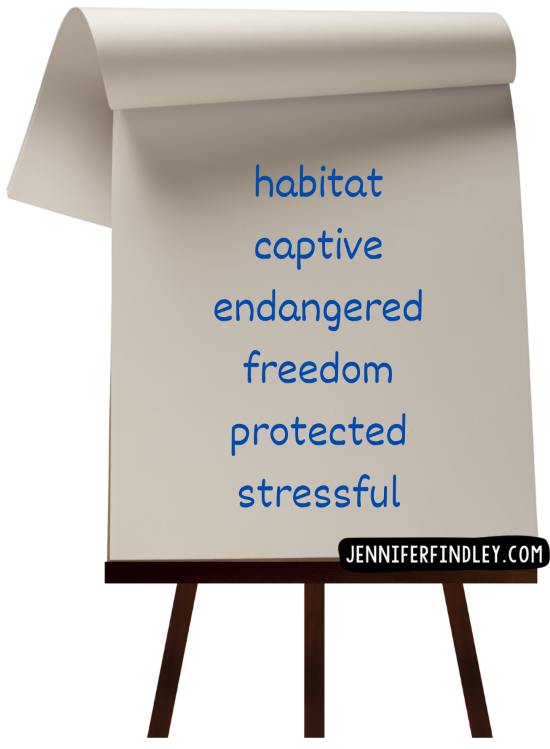
Here’s an example of how this might look for the prompt: Should animals live in zoos?
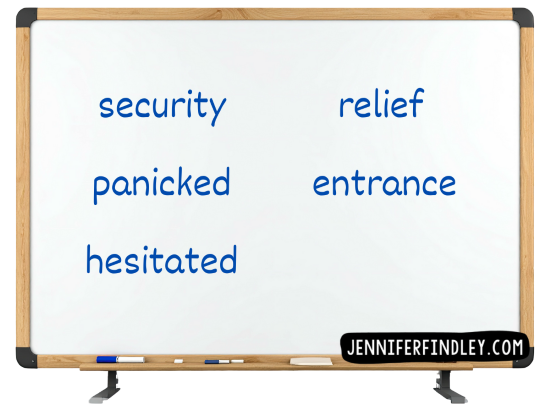
Now, here’s another example with a narrative prompt: Write about a time you or a character got lost somewhere crowded.
Why I Ask for Spelling Help Instead of Better Words
Notice how this is about getting students to use stronger vocabulary, but I asked them what words they wanted me to spell.
That is intentional because, for many students, the words are already there.
They just need support accessing and using them. For those who don’t have access to the words, you are exposing them to new vocabulary (spelled correctly by you) through their classmates.
What You’ll Start to Notice
Once one student shares a word, other students start thinking:
- Oh, I want to use that word too.
- Wait, I have a word like that.
- Can you add this one?
Suddenly, students are pulling vocabulary from each other. You’re not forcing “better words.” You’re surfacing the words they already want to use.
Why This Works So Well
You’re creating:
- a shared vocabulary resource
- spelling support in the moment it’s needed
- permission to use stronger words
- a community writing tool instead of an individual struggle
Because the word bank is built before students write, they actually use it.
Pro Tips for the Community Word Bank Routine
1. Pause before writing. This routine works because it happens before students start. Once they’re writing, most won’t stop to reach for better words.
2. Ask for spelling help, not better words. “What words do you want to use that you want help spelling?” This keeps ownership with students while lowering the pressure.
3. Let students borrow freely. When one student shares a word, others will use it. That’s the point. You’re building shared language, not protecting ideas.
4. Use it across genres and writing tasks. Use this routine with opinion, narrative, and informational writing as well as other writing tasks (constructed response tasks in reading, science tasks that require writing to explain, etc).
Join Us in All-Access Reading+
If you would love more support with teaching writing to your students (and not the version your curriculum assumes you have), I’d love to invite you to join All-Access Reading+.
It’s my premium membership for 4th and 5th grade teachers, where you get access to a complete suite of resources for teaching writing along with grammar and reading support.
Click the link to get the details and see what it can make possible for your literacy instruction.
Want more free writing support for your 4th and 5th graders?
If teaching writing in 4th and 5th grade is difficult for you, you’re not alone. It’s really that hard, and I’d love to continue supporting you. Get your hands on my free writing toolkit to help you with pacing, procedures, and engagement. Click here or on the image to access it now!






Leave a Comment